
TECHNOLOGY
Opening a freelancer bank account can be a daunting task for many independent professionals. Freelancers often face challenges in getting approved for traditional bank accounts due to their irregular income and lack of traditional employment history. This can lead to delays in payments, difficulty in managing finances, and missed opportunities.
In this guide, I will teach you how to open a freelancer bank account in just six steps. I will also discuss the different types of freelancer bank accounts available and why you need one.
Finally, we will compare freelancer bank accounts to traditional bank accounts so you can decide which one is right for you.
What Do You Mean by Freelancer Bank Account
A freelancer bank account typically refers to a bank account specifically opened and used by a freelancer or independent contractor for their business transactions.
Unlike traditional employees who might receive their salaries in personal accounts, freelancers often benefit from setting up separate bank accounts dedicated to their freelance operations.
In today’s digital world, it’s crucial as it facilitates seamless international transactions, ensuring freelancers can get paid from anywhere.
Its importance extends to software houses, as it provides an efficient way to manage finances for outsourced or remote freelance talent, underscoring its worth in the modern digital economy.
Steps to Open HBL Freelancers Account
Step 1. Visit HBL Official Website
It’s important to highlight that this offer is exclusively for new HBL customers. If you’ve previously registered an account with HBL under any category, you won’t be eligible to open the HBL Freelancer account. Therefore, if you’re a new user, visit hbl.com to initiate your freelancer account online.

Upon arriving at HBL’s official page, you’ll encounter the interface as previously mentioned. Navigate to the “Accounts” section in the header. A pop-up will subsequently appear, presenting various account types.
Select the category that aligns with your needs. Since our focus is on the Freelancer bank account, you should click on “HBL Freelancer Digital Account.”

Clicking on the “Digital Freelancer account” option directs you to a new page with the URL: https://www.hbl.com/personal/accounts/current/hbl-freelancer-digital-account.
This freelancer account simplifies the process of sending and receiving international payments. Once on this page, proceed by selecting the “Apply Now” button for the Digital Freelancer account.

Upon clicking the green “Apply Now” button, an account application page will appear on your screen. If this is your initial attempt to open the account, proceed by clicking “Apply Now.”
However, if you previously started the application process but didn’t complete it, you should click on “Resume/Update.”

Your screen will display a prompt stating:
“HBL is hereby authorized to initiate, accept, and act based on my directives to process my digital account opening application, as well as to receive my personal details and documents for digital account setup.”
You must agree to HBL’s terms as outlined in the message and then proceed by clicking the “Submit” button.

If you’re below 18, select the “account on behalf of a minor” option, which is the second choice. If you’re 18 or older and possess a national ID card, opt for the “account for myself” option, which is the primary selection. Once you’ve made your choice, click the “Next” button.

Step 2. Verification
The initial phase in the account application process involves verifying your identity. This crucial step ensures that your information is accurate and safeguards against potential fraudulent activities. It’s essential to provide authentic details for a smooth account setup.

You’re now required to upload both the front and back images of your national ID card. You’ll find two separate buttons: one designated for the front and the other for the back of the ID card. Ensure you use the correct buttons for each side.

When you select “upload front,” it will prompt you to access your computer’s hard drive, allowing you to choose the scanned image of your ID card’s front. When you have located the file, select it and click “open.” Do the same step for the Upload Back button.

Have a look at the uploaded images of your ID card. Its size should be under 5MB, and the file must be in jpg, jpeg, and png formats.

You’re required to provide three specific details: First, input your CNIC number. Next, enter the mobile number associated with that CNIC. Lastly, provide the issuance date of your CNIC.

Scroll further down, and you’ll encounter a section requesting your active email address for OTP verification. Ensure the email you provide is currently in use, as a verification code will be sent to it. Once you have entered your email, click the “Submit” button.

Next, the page will prompt you to enter the OTP sent to your email.

If you haven’t received the code, return to the HBL application page and click the “Resend” button. Once you receive the code in your email, copy and paste it.

Now, input the six-digit OTP code on the HBL application page and click the “Verify” button.

Step 3. Preferences
In our 6-step process, we’re now embarking on the second phase to open a Freelancing bank account. At this juncture, we’ll provide details about our preferences.

Next, decide on the type of banking you prefer: conventional or Islamic. I opted for an Islamic account, so I selected that option. After making your choice, proceed to the next step.

From the various choices available, select your occupation—be it a salaried individual, student, homemaker, or freelancer. It’s crucial to note that each category demands specific documents.
Since our focus is on opening a Freelancer Bank Account, opt for the ‘Freelancer’ category. Before proceeding, ensure you’re aware of the necessary documents for this account. To view them, click the ‘Documents Required’ button situated below the ‘Freelancer’ option.

For the freelancer digital account, you’ll need to provide two pieces of documentation: your ID card and a recent photograph. Ensure you have these ready for upload during the process.

Choose your desired account type from the options available: either a Savings account, which accrues interest (something many Muslims prefer to avoid), or a Current account. If you’d like to steer clear of interest, opt for the Current account.

Choose your preferred bank branch and the city where you wish to establish your account. It’s essential to pick a location that’s convenient for you, considering factors like proximity to your residence or workplace. After making your selections, proceed by clicking on “Next.”

Step 4. Give Your Personnel Information
Now, we’ll need to input some personal details such as your full name, date of birth, gender, and the name of a close relative.

The application wishes to gather more comprehensive details about you. It will prompt for your name and mobile number, as well as your gender. For privacy reasons, I’ve concealed my personal information here.

As you navigate further down the form, it will inquire about the name of your father or, if you’re a married woman, your husband’s name. Following that, you’ll be asked to specify your date of birth.

Next, input the full name of your next of kin, followed by their mobile number. Indicate whether you hold dual nationality and if you have tax residency outside of Pakistan, such as in the United States.

Step 5. Give Additional Information
You’ll need to detail your profession and identify the financial supporter for this account.

Next, answer the following: What’s your profession? What industry do you primarily work in? Identify the field of work of your financial backer. What’s the primary purpose of opening this account?

Provide essential details of the financial backer, such as their name, father’s name, date of birth, and place of birth, as well as their country of residence.

Further down, input the financial backer’s identity document number. Indicate who will be responsible for and manage the account. Once done, proceed by clicking ‘Next.’

Step 6. Services Subscription
In this step, you can select the banking services you wish to use while opting out of those you don’t need.

One primary question is about availing a debit card. Given its essentiality for most account holders, including freelancers, it’s recommended to opt for it. Note that the withdrawal limit for this freelancer digital account is 500,000 (5 lakh) daily.

Should you prefer electronic statements of your transactions, select ‘Yes.’ You also have the flexibility to set the frequency of these Estatements – daily, monthly, yearly, or every five years.

If you want to receive e statements for your transaction you can choose Yes. Then you can also choose your E statement frequency daily, monthly, yearly or after 5 years.

Given our digital age, many prefer the convenience of mobile apps, and this holds true for freelancers as well. Hence, it’s advisable to enable Mobile & Internet banking services to ease your banking processes.

Would you like to receive marketing updates from HBL? Personally, I find such notifications intrusive, and many professionals feel the same way. Therefore, I recommend selecting ‘No.’

Now scroll down and click on the Next button.

Step 7. Upload Documents
At this document upload stage, you’ll notice you’re 90% done with your HBL freelancer bank account application process.

For this step, take a clear, recent photo of yourself, preferably in good lighting, such as sunlight. Ensure the photo file size remains under 5MB. After capturing a suitable image, upload it using the ‘Live Picture’ camera icon, and then hit the ‘Submit’ button.

Next, you’ll encounter the digital account opening terms and conditions. It’s crucial to consent to these terms by ticking the checkbox located at the page’s top left corner.

Lastly, take a moment to review the seven terms and conditions set by HBL for their freelancer digital account. Once done, click on the ‘Submit’ button found at the bottom of this form.”

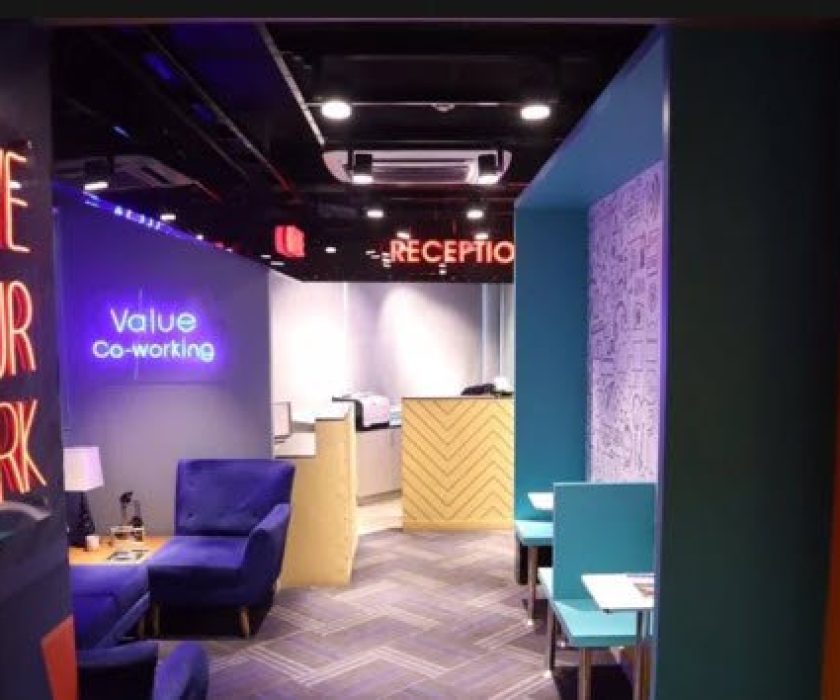
How Do Freelancers in Co-working Spaces Open a Bank Account?

Freelancers who work in coworking spaces can open their own independent freelancer accounts, even if they are under 18. This can be done on behalf of a minor, and HBL offers this option. Professionals in coworking spaces can follow the seven steps above to open a freelancer digital account.
These steps are easy to follow, and the whole process is simple. The only documents you need are an original ID card and a live photo, which you will need to upload during the last step of the application process.
Freelancers who work in coworking spaces and other freelancers who work from home can open accounts through the HBL digital freelancer account portal. This account makes it easy to transfer and receive money to foreign countries in USD, PKR, and Euro.
Other Banks Offered Freelancer Bank Account
Banks offer Freelancer accounts to tap into the burgeoning freelance market, recognizing its significant growth and potential. By providing tailored services, they attract a new customer segment, boosting deposits and transaction volumes.
Their interest lies in capitalizing on this trend, enhancing their customer base, and staying relevant in a digitalizing economy.
1. Freelancer Account in Meezan Bank
Catering to the growing community of freelancers in Pakistan, Meezan Bank offers specialized accounts tailored to ease digital transactions, both locally and internationally. With Shariah-compliant banking features, freelancers enjoy secure and convenient banking solutions that align with their unique needs.
2. Faysal Buraq Freelancing Account
Recognizing the surge in freelance activities, Faysal Bank introduced the Buraq Freelancing Account. This product ensures seamless transactions and offers specialized benefits tailored for freelancers, bridging the gap between conventional banking and the requirements of a digital workforce.
3. UBL Freelancer Digital Account
UBL’s commitment to embracing the digital age is evident in their Freelancer Digital Account. A perfect blend of user-friendly digital interfaces with traditional banking reliability, this account simplifies the monetary aspect of freelancing, enabling professionals to focus on their projects.
4. Allied Freelancer Freedom Account
Allied Bank, understanding the financial dynamics of freelancers, rolled out their Freelancer Freedom Account. It ensures not just transactional ease but also offers a set of features that are often sought after by freelancers, including competitive forex rates for those dealing with international clients.
Difference between Freelancer Bank Account and Other Bank Accounts
| Feature | Freelancer Account | Personal Account | Business Account |
| Purpose | Freelance transactions | Personal use | Business transactions |
| Professionalism | Boosts image with clients | Everyday use | Corporate image |
| Tax Benefits | Eases freelance taxes | None for salary | Eases business taxes |
| Limits | Medium limits | Lower limits | Highest limits |
| Business Tools | Some tailored tools | Standard features | Suite of tools |
| Legal Protection | Some separation | No separation | Strong distinction |
| Accounting | Simplified tracking | Mixed transactions | Clear business records |
| Benefits | Freelance benefits | Standard benefits | Business benefits |
Why Do We Need Freelancer Bank Account
- Clear Financial Separation: Having a distinct bank account helps freelancers segregate their personal and business finances, making it easier to manage and track business-related income and expenses.
- Professionalism: Using a business or freelance-specific account when dealing with clients can portray a more professional image.
- Simplified Accounting and Tax Preparation: Come tax time, having all business transactions in one account can simplify the process of calculating income, deductions, and tax liabilities.
- Easy Access to Financial History: A dedicated account can provide a clear financial history, which might be needed when applying for business loans or when presenting financial statements to potential investors or partners.
- Legal Protection: In some jurisdictions, maintaining separate personal and business accounts can help provide a degree of legal protection. It helps to establish that the freelancer’s business operations are distinct from personal dealings, which can be crucial in situations like lawsuits or financial audits.
- Banking Benefits: Some banks offer features tailored to business accounts, like higher transaction limits, free business tools, or merchant services.
Wrapping Up
In the dynamic digital age, the rise of freelancing has necessitated specialized banking solutions. The guide provided a comprehensive walkthrough for opening a Freelancer Bank Account with HBL, showcasing its many advantages.
These accounts, distinct from traditional personal or business accounts, are designed to cater specifically to the needs of independent professionals.
From ensuring professionalism in dealings with clients to simplifying tax and accounting processes, having a dedicated freelancer account is invaluable.
The emphasis is not just on the process but on understanding its significance. As freelancing continues its upward trajectory, being financially equipped with the right banking tools is the cornerstone for a successful freelance career.
With banks like HBL and others offering customized solutions, now is the time for freelancers to harness these resources and elevate their professional journey.